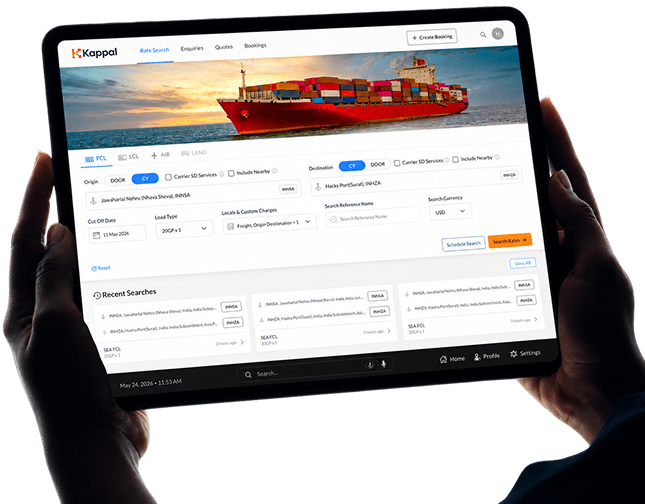
Container Tracking and Cargo Visibility, Port to Port Right Here.
Track any shipment from pickup to delivery. Get complete cargo information, real-time updates, and global visibility—whether you're using Kappal or any shipping line.
The request usually arrives the same way: a client wants to know where their container is, and someone on your team opens one carrier site, then another, then digs through an email thread. Kappal’s track and trace pulls shipment tracking into one place, so you can follow cargo through the major milestones of its journey and pass the answer straight to the client, whether the booking was made through Kappal or directly with a shipping line.
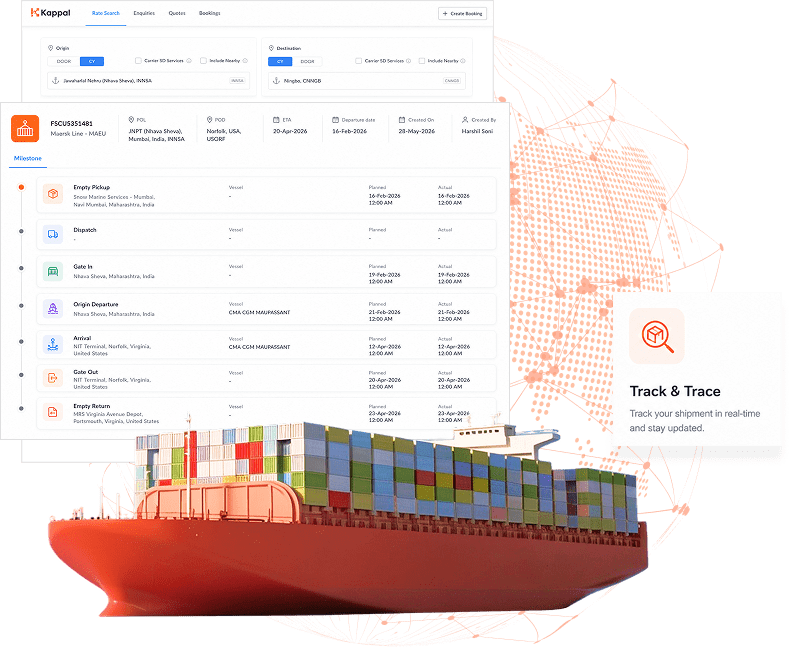
Container Tracking and Ocean Freight Tracking Across Any Shipping Line
Kappal tracks shipments from any origin port to any destination port worldwide. Ocean freight tracking covers all major shipping routes as well as lesser-known lanes, so cargo moving on an unusual trade lane is not left without visibility.
Just as important, tracking is not limited to bookings made through Kappal. Whether the cargo was booked with Kappal, directly with a shipping line, through an agent or via an external logistics partner, you can search it and follow it in the same place. For a forwarder working across several carriers and partners, that removes the need for a separate routine for each one.
The major problems that Kappal solves.
Kappal solves delayed shipment visibility, scattered tracking updates, and manual follow-ups by giving freight teams real-time cargo tracking across every shipment stage.


01
Real-Time Shipment Tracking With the Full Picture
Track shipments from any origin port to any destination port worldwide. Ocean freight tracking across all major shipping routes and lesser-known lanes.
A dot on a map answers one question. Clients and operations teams usually have several. Kappal’s real-time shipment tracking lets you search by bill of lading or container number and see the major milestones of the shipment’s journey, the vessel it is on and whether it is running to schedule, so the information needed to answer a query sits in one view rather than across scattered tracking sources.
Read more02
Tracking by Container Number or Bill of Lading Number
One platform for all your shipments. Real-time updates, complete information, and organised tracking data—reduce dependency on fragmented tracking tools.
Most tracking starts with a reference number, and it helps to know which one you are holding. A container number is the 11-character code printed on the container itself, four letters followed by seven digits, and it follows that single container. A bill of lading number identifies the shipment under the carrier’s contract and can cover several containers at once. That is why bill of lading tracking and tracking a container by its number are related but not identical jobs. Forwarders also deal with both master and house bills of lading, so it is worth confirming which number a client has quoted before you search.
Whichever reference you start from, what you need at the end is the same: a clear status, a reliable ETA and the container details in one place. That is what Kappal’s track and trace is built to organise, rather than leaving it spread across carrier portals.
03
Fewer Follow-Ups, Better Client Communication
Track any shipment, whether you book with Kappal or directly with shipping lines and agents. Universal access to shipment visibility with a complete information breakdown.
Many status calls exist because the client has no way to check for themselves. With Kappal, your team can check a shipment’s status in one place and pass updates to customers by phone, email or whichever channel you already use, so they hear about each stage without having to ask. Proactive updates and accurate ETAs build trust, because the client hears about a change from you rather than discovering it themselves.
Read more04
Cargo Tracking for Teams Handling Multiple Shipments
Share real-time tracking visibility with clients directly. Proactive updates. Accurate ETAs. Build trust through transparency and reliable shipment information.
When volumes grow, tracking by hand stops scaling. Kappal keeps all shipments in one place and lets you monitor containers and check their status in one place, replacing the spreadsheet-and-carrier-tabs routine. Automating manual tasks and centralising operations is how teams scale without increasing headcount.
Read moreWhy Kappal for Shipment Tracking
Get complete shipment visibility across carriers and routes with real-
time tracking that keeps teams informed at every stage.
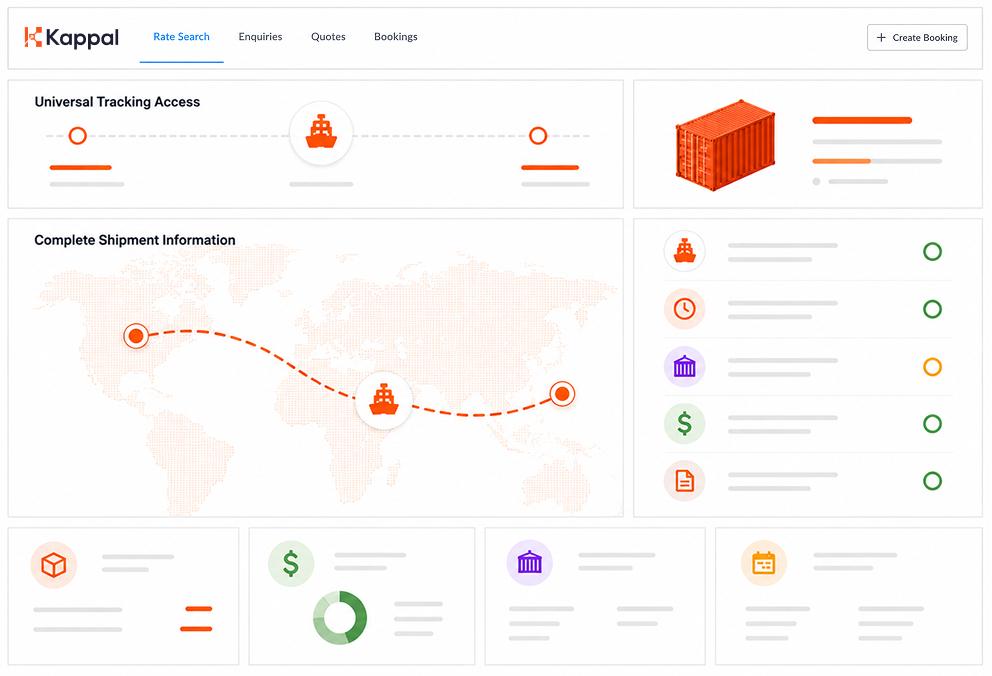

Universal Tracking Access
Search and track shipments across ports worldwide with complete visibility, whether bookings are managed through Kappal, shipping lines, or external logistics partners.

Complete Shipment Information
View cargo status, ETAs, container details, charges, documents, dimensions, and free days in real time without relying on scattered tracking sources.

Tracking That Connects to Rates and Schedules
Tracking is one part of a wider workflow. Kappal pairs live ocean freight rates with vessel sailing schedules so the ETA you give at the quoting stage can be checked against reality once the cargo is moving. Because rates, schedules and tracking sit on the same platform, a shipment’s history stays in one place from quote to delivery.
The Way We Work
Real-Time Tracking, Complete Visibility, Full Control
Live Shipment Visibility
Track cargo movements in real time from pickup to final destination.

All Shipment Data
Access shipment details, charges, documents, and container information instantly.

Instant Client Visibility
Share live shipment updates with clients at every stage.
See Real-Time Shipment Tracking on Your Own Cargo
The simplest way to test a tracking tool is to try it on cargo you are already moving. Book a live demo and bring a few current shipments, whether they were booked through Kappal or directly with a shipping line. Plans, including Professional and Enterprise options, are on the pricing page.
Frequently Asked Questions
How do I track a container by container number?
Every container carries a unique 11-character number, four letters followed by seven digits, printed on its side. Carrier websites and multi-carrier tracking tools can look it up. Kappal’s track and trace brings status, ETAs and container details together for shipments booked through Kappal or directly with shipping lines, so you do not have to check each carrier separately. To see it on your own containers, book a live demo.
What is the bill of lading tracking?
Bill of lading tracking means following a shipment’s status and location using the number on the carrier’s bill of lading. Because one bill of lading can cover several containers, it gives you the shipment-level view, while container tracking gives the detail on a single box. Kappal shows cargo status, ETAs & container details in one view.
What is the difference between a master and a house bill of lading?
A master bill of lading is issued by the carrier, usually to a forwarder or NVOCC. A house bill of lading is issued by the forwarder to the shipper. They carry different numbers, so confirm which one applies before you search, since the wrong number is a common reason a search returns nothing.
How accurate is real-time shipment tracking?
ETAs are estimates, and they can shift with port congestion, weather or vessel delays. The value of real-time shipment tracking is that status and ETAs update as conditions change, so you can warn clients early. Kappal shows the major milestones of the journey and whether the vessel is running to schedule, so you can check the latest status whenever a client asks.
Can I share container tracking with my clients?
Not directly. Tracking data is available to Kappal platform users with a licence, and there is no option to share a tracking link with customers outside the platform. Your team can check the status in Kappal and share updates with each customer by phone, email or other channels, so you stay in control of what every customer sees.
Is tracking included in Kappal’s plans?
Kappal’s pricing page lists end-to-end visibility from booking to delivery among the plan features, alongside rate and schedule search. Contact the sales team for current pricing, or ask about more than 5 licences on the Enterprise plan.
Reduce Cost & Simplify Freight?
Transform. Scale. Succeed.
With Kappal by your side
Book A Demo